
- Home
- AI bill scanner
AI bill scanner
AI bill scanner for your purchase bills
The supplier's bill is already typed. Photograph it or upload the PDF, and AawazAI reads it into a purchase entry for you to check.
What it reads
From a photo to a purchase card
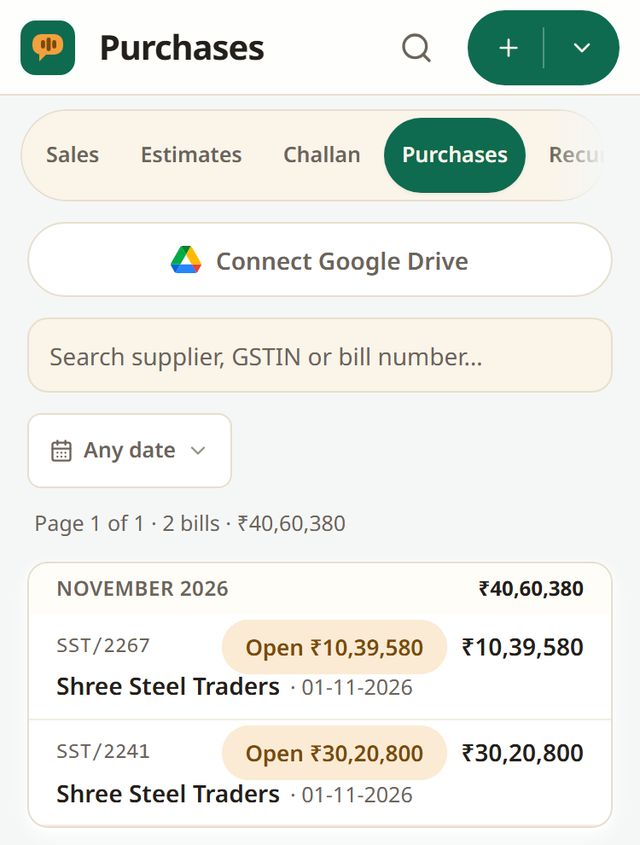
AawazAI reads the supplier, the GSTIN, each item with its HSN, the GST and the totals, then shows a card. When you confirm, the purchase is booked against the supplier and the stock on the bill goes up.
| Item | Qty | GST | Amount |
|---|---|---|---|
| TMT bar 12mm | 5 t | 18% | 2,50,000.00 |
| MS angle 50×50 | 2 t | 18% | 1,08,000.00 |
| Binding wire | 300 kg | 18% | 23,400.00 |
| CGST 9% + SGST 9% on 3,81,400.00 | 68,652.00 | ||
| Bill total · 45 days credit | ₹4,50,052.00 | ||
Sample card with made-up parties.
What you can send
One bill, or a month of them
Camera or gallery
Photograph the bill, or pick a photo you already have. On a phone the back camera opens first.
PDF and multi-page bills
Upload a PDF, or photograph a bill of up to 10 pages. A second copy of the same bill is not booked twice.
A month of bills at once
Up to 100 files, or one zip, in one go. Each bill is reviewed on its own, and you save them one by one or together.
Bills from other AawazAI businesses
They arrive in your Inbox with no scanning at all, ready for you to answer.
What it checks
Reading is the start, not the end
- E-invoice QR codes read and verified first
- Digital PDFs read as text before any image model
- Unsure fields flagged for you
- Supplier GSTIN checked
- A bill you already entered is flagged
- Your corrections remembered per supplier layout; amounts never are
How accurate is it?
What we tested, and what we did not
In our test on 33 real supplier bills (50 scanned pages), on 13 and 14 October 2026, AawazAI read every bill total right. That is one test on one set of bills, not a promise for every bill. You still check every line before it is saved.
Cost
Charged by what the AI reads
Bill scans use AI credits, charged by what the AI reads. Every business starts with 50 credits (T&C apply). See pricing.
Questions
Bill scanning, answered plainly
Is this an OCR app for invoices?
It does OCR and more. It reads the bill into the fields of a purchase entry, checks the GSTIN and looks for a duplicate, then waits for you to confirm.
Which bills can it read?
Supplier bills as photos, PDFs and multi-page scans, including e-invoices with a QR code. Handwritten or faint bills may have more fields flagged for you to check.
Does it book the entry by itself?
No. Nothing is saved until you confirm the card.
What happens to stock?
When you confirm, the stock of the goods on the bill goes up and the supplier balance moves.
Does it work on a laptop?
Yes. Upload from the web app or the Windows app, or use the camera on the Android app.
Scan your next supplier bill
Your books are free to keep and free to leave with.